Mockflow documentation
Mockflow helps you explain how a system behaves. You draw the system, describe a situation, run it, and review the result as a clear story. These guides explain each step without assuming specialist knowledge.
How Mockflow works
Everything in Mockflow follows one simple loop. Build a diagram from components and connections. Add a journey that says what should happen. Run it. Mockflow records the result one step at a time, so you can replay it, explain it, and share a safe version with other people.
Runs are illustrative. They demonstrate the behavior and ordering you configured — not real-world capacity, latency, or cost.
The diagram mental model
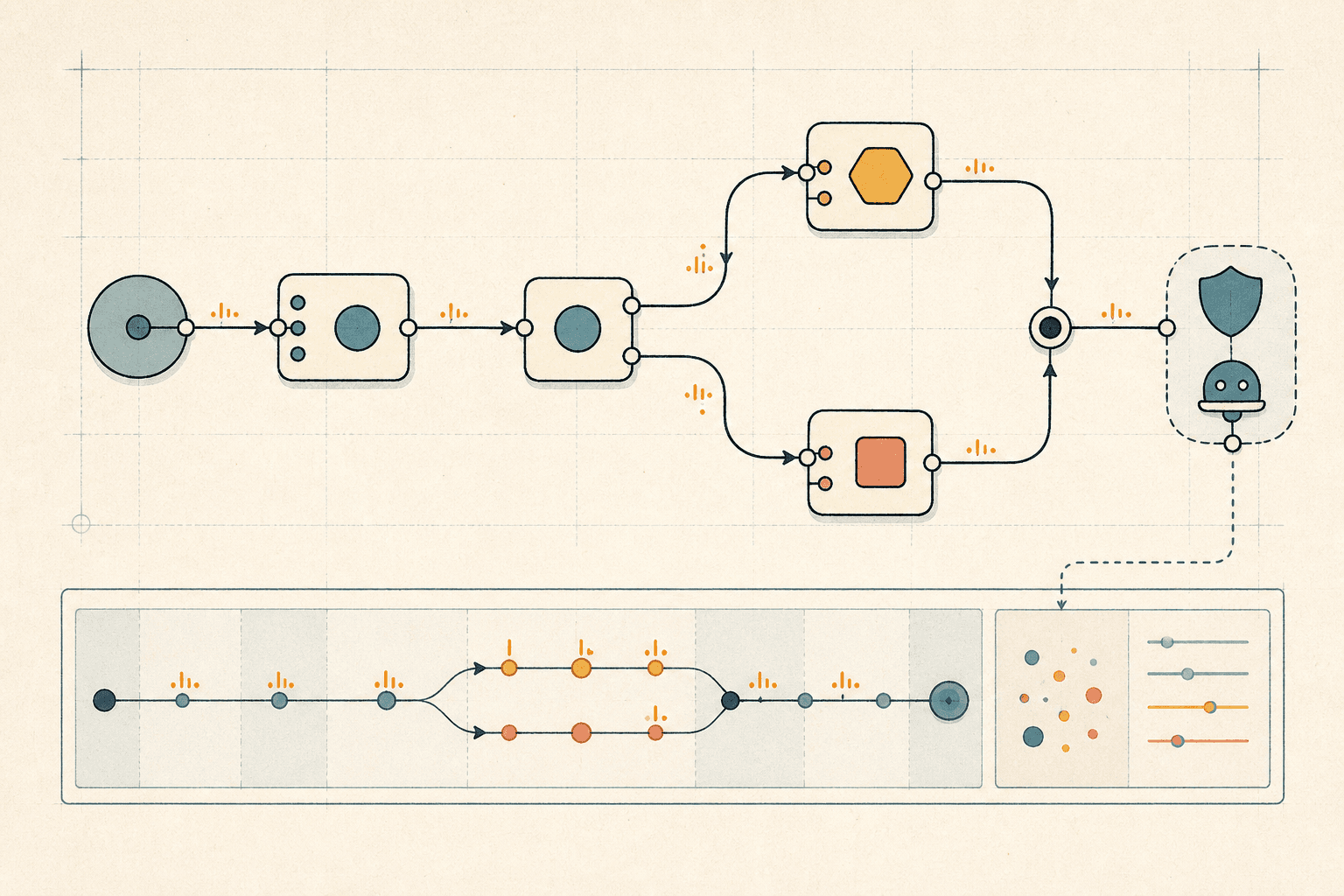
Think of a Mockflow diagram as both a map and a small executable model. Components are the things in the system, and their ports are typed entry and exit points. Compatible ports form connections, the paths that carry requests, messages, events, data, or control signals.
Connections give traffic somewhere to go. Handlers say what a component does when traffic arrives: call, emit, map, respond, or fail. An optional condition decides whether an action runs. Component settings add the simple knobs — such as a delay, retry policy, or cache lifetime — so connections, handlers, and settings together describe behavior.
A journey is the runnable scenario: it chooses a start port, input data, state fixtures, a seed, and safe limits. Its run produces an ordered event story that you can inspect, replay, and explain.
An approved agent reaches selected Mockflow context through MCP. Read-only access is the default; guarded write access can create or change drafts for a human to review. Approval, publication, sharing, and export stay in the signed-in Mockflow app.
flowchart LR
  D[Diagram] --> S[Components, ports, connections]
  S --> B[Handlers and conditions]
  B --> J[Journey / scenario]
  J --> R[Run]
  R --> E[Ordered events]
  E --> V[Review, present, share]
  D -.-> C[Approved context]
  J -.-> C
  E -.-> C
  C --> A[Approved agent via MCP]
A -.-> DWhat these guides cover
The guides cover the whole visible product: workspaces and templates, diagram editing, every component type, connections, component behavior, journeys, runs, the timeline and transcript, contracts and data descriptions, presentation, sharing, and Agent Access Keys for MCP clients.
These are product guides, not an internal engineering manual. They explain what you can do and what the result means. They do not publish Mockflow's source design, storage design, private interfaces, or internal document formats.
Get to a first run
Start small. A client, a gateway, and one service are enough to make the loop concrete. Build the smallest path that tells the story you want to review, then add detail as the question becomes clearer.
- Open Templates and choose a ready-to-run example, or create a blank diagram in your workspace.
- Add and connect the components that participate in the path. The creating diagrams guide covers the editor basics.
- Create a journey that says where the story starts and what information it should use.
- Run the journey and read the timeline or transcript. Use Checkpoint when you want a named review point.
Where to go next
Follow the path that matches your question. Each link opens the detailed guide for that part of the product.